Read-only · runs on your computer

Know how much risk is in your crypto — before the market shows you.

Risk Crypto AI reads your Binance portfolio (or the holdings you type in) and turns it into one clear risk score, crash simulations and plain-language explanations. It never trades and never touches your funds.

Free · no account needed · installation help

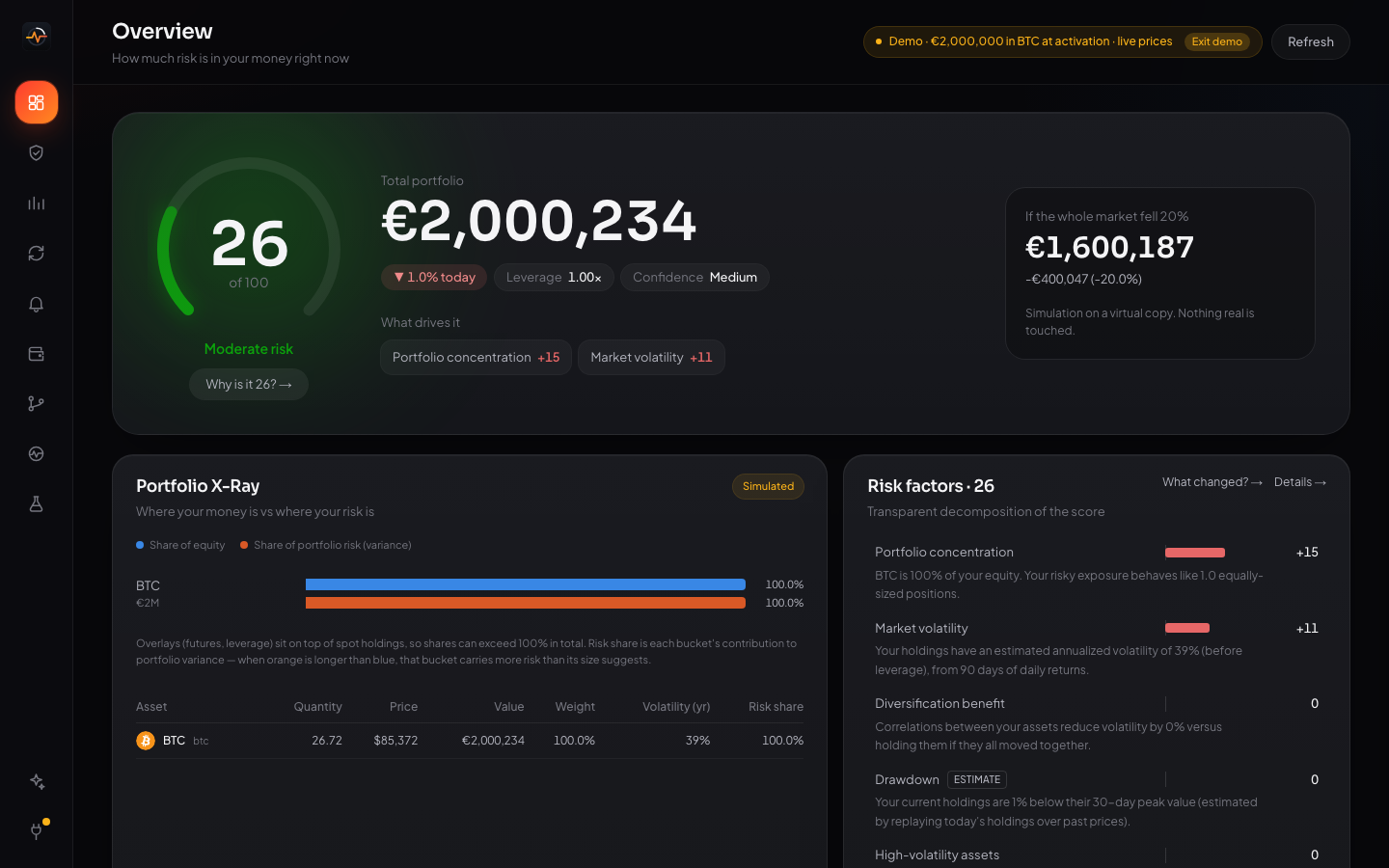
Risk Crypto AI overview: a risk score of 26 out of 100, portfolio value, what drives the risk and a simulated 20% market drop
What it does

Your whole portfolio's risk, explained in one place.

Every number is calculated by the app from real market prices — and every score comes with the reason behind it.

Risk Score 0–100

One number for how exposed you are, broken into its causes: concentration, volatility, leverage, liquidation distance, correlation.

Crash Lab

Replay real crashes like 2020 and 2022, or run thousands of simulated futures, and see what your portfolio would be worth.

Liquidation map

For futures positions: how far the price can move before each position is liquidated, and what happens to the others.

Simulate before you buy

Test a purchase on a virtual copy of your portfolio first: see the new risk score before spending anything.

Monthly buy simulator

See how buying a fixed amount every month would have performed with real historical prices.

Alerts

Desktop notifications when your risk score rises, a position gets close to liquidation, or the market moves sharply.

AI Risk Analyst

Ask "why is my risk high?" in plain language. It answers only with numbers the app calculated — never buy or sell advice.

Markets & timeline

Live prices for hundreds of coins, and a timeline of how your risk changed and why.

Demo mode

No crypto yet? Try it as if you had €2,000,000 in Bitcoin — with real, live prices.
Security

Built so it can't lose your money.

  • Read-only by design. It only asks Binance for balances and positions. Keys with trading or withdrawal permission are rejected.
  • Never asks for your seed phrase, private key or Binance password.
  • Everything stays on your computer. No account, no cloud: your data and API key are stored locally, encrypted.
  • Disconnect any time — the key is deleted from the app instantly.
This application cannot withdraw funds or execute trades.

Risk Crypto AI measures and explains risk. It is not financial advice and does not tell you what to buy or sell. Crypto is volatile: you can lose money.

Install

Up and running in a minute.

The app isn't signed with a paid Microsoft or Apple certificate yet, so your computer asks once whether you trust it.

Windows

  1. Open Risk-Crypto-AI-Setup.exe from your downloads.
  2. If you see "Windows protected your PC", click More infoRun anyway.
  3. Follow the installer, then open Risk Crypto AI from the desktop shortcut.
  4. The first start can take up to a minute while antivirus checks the files.
Windows 10 or 11, 64-bit · about 500 MB of disk space

Mac

  1. Open the downloaded .dmg and drag Risk Crypto AI into Applications.
  2. Open it. If macOS says it can't verify the app, click Done.
  3. Go to System Settings → Privacy & Security, scroll down and click Open Anyway.
  4. When asked about the keychain, click Always Allow — that's where your key is stored securely.
Apple Silicon Mac (M1 or newer) · macOS 12 or newer

Optional: install Ollama and run ollama pull qwen2.5:3b to use the private local AI. Without it, the analyst still answers using the app's calculations.